 EasyTouch
Your touchpad can do much more.
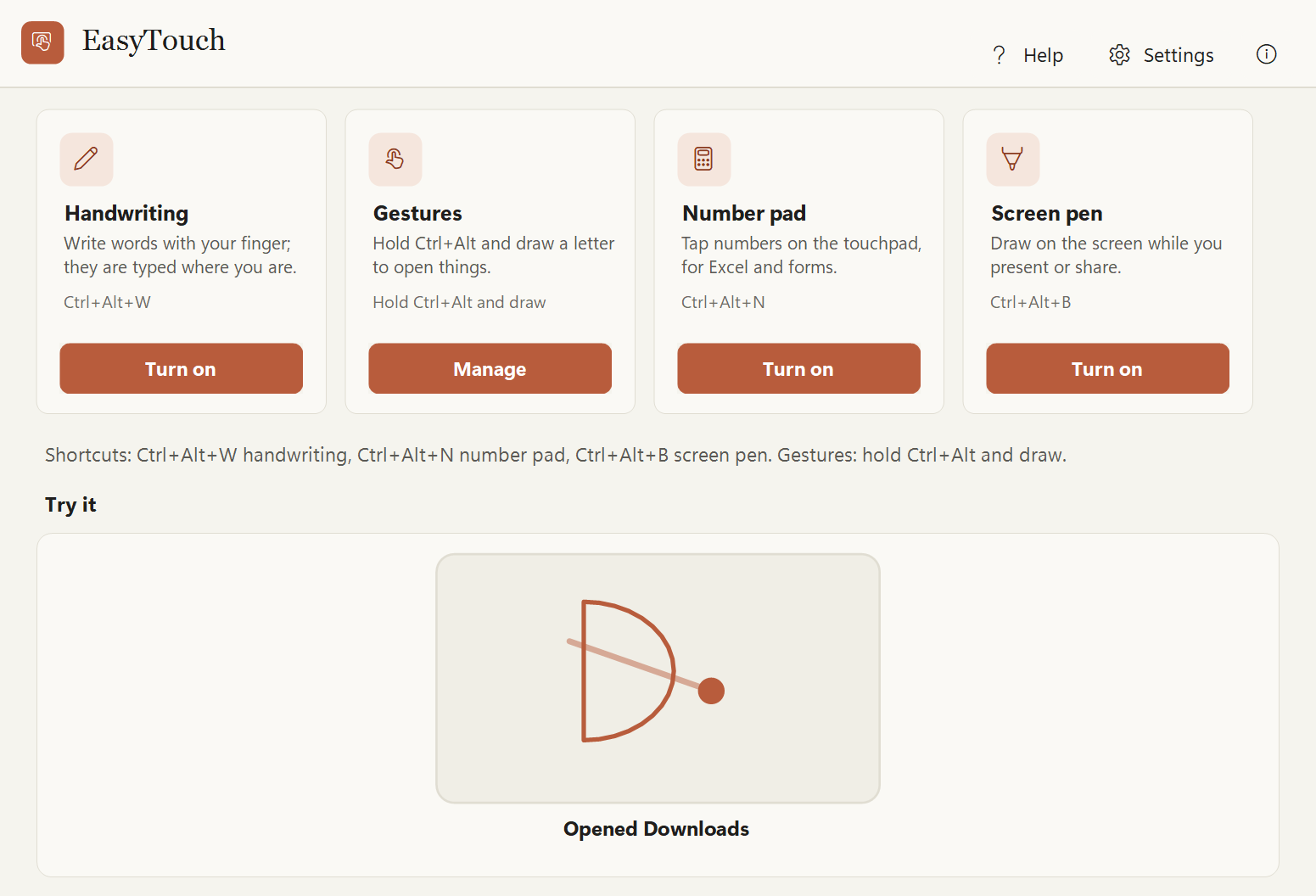
Write words with your finger, draw a letter to open an app, turn the touchpad into a number pad, or draw on your screen during a call. Each one is a shortcut away.
Almost every laptop has a Precision Touchpad. Most people only ever use it to move the pointer.
See it work
EasyTouch in 35 seconds
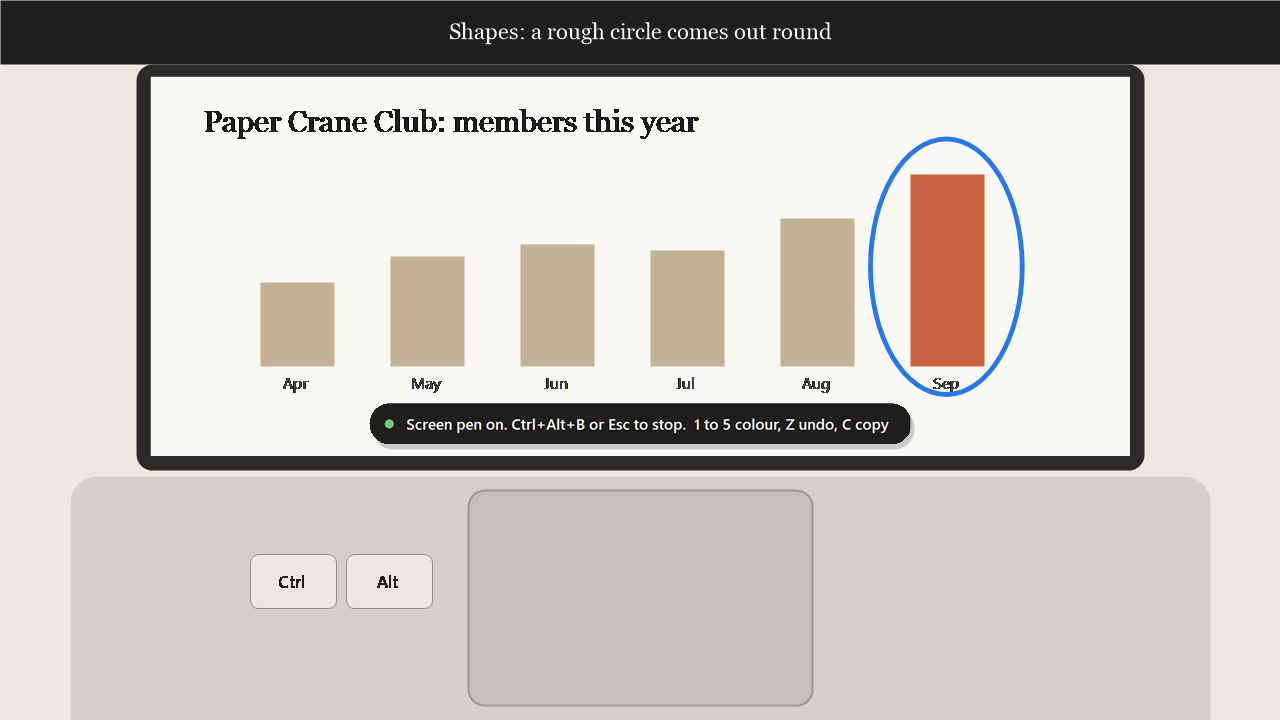
A laptop touchpad: a finger writes TEA and it is typed into a note, numbers are tapped into an expenses sheet with a running total, an S drawn while holding Ctrl and Alt opens EasySign, and a laser arrow and a circle point at a chart.
Features
What EasyTouch does
Handwriting
Write a word with your finger and it is typed where you are. Digits only for codes, or sums: write 12 x 7 = and get 84.
Gestures
Hold Ctrl+Alt and draw: S opens EasySign, C takes a screenshot with EasyClip, D opens Downloads. Add your own.
Number pad
The touchpad becomes a 4 by 4 number pad for Excel, forms and banking sites, with a running total.
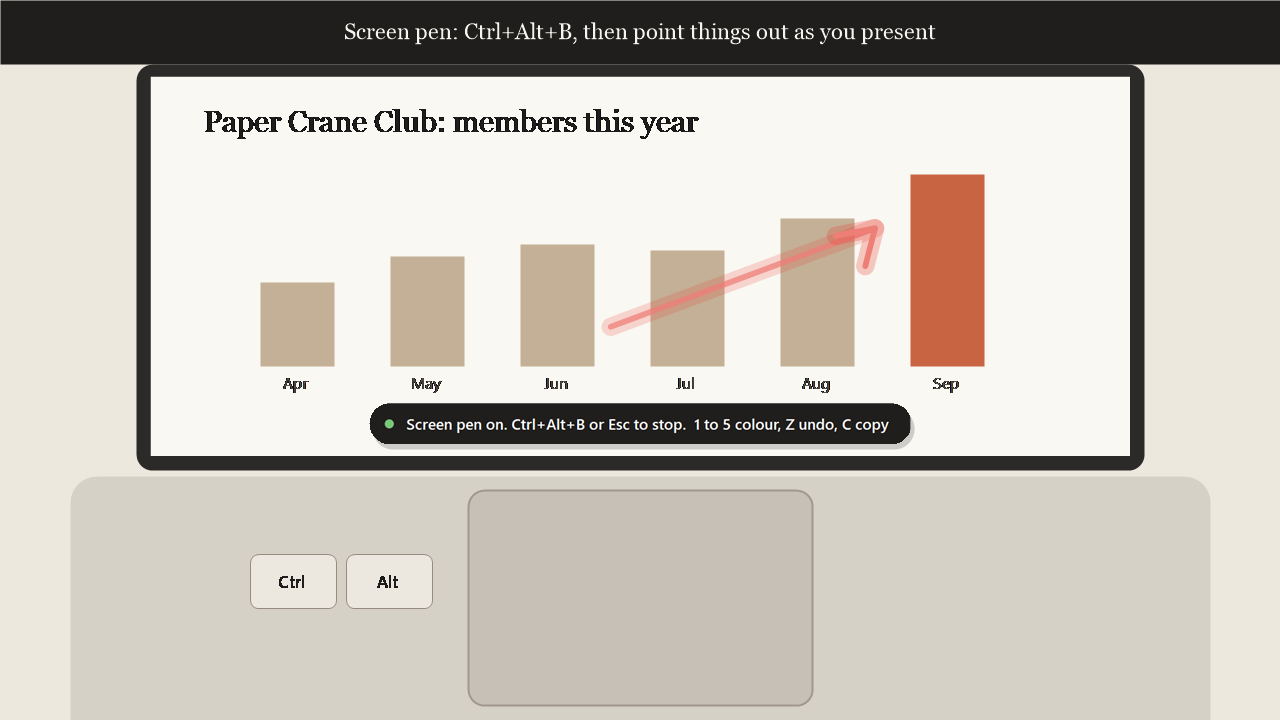
Screen pen
Draw on your screen with a laser that fades, a marker, or shapes that straighten themselves. With a mouse plugged in, the touchpad draws and the mouse keeps working.
Palm safe
A resting finger or a palm types nothing. Esc always turns a mode off.
Works with ASUS NumberPad
Laptops with a built-in NumberPad keep it, untouched. One switch adds EasyTouch's own pad too, with its running total.
How it works
Three steps
Press a shortcut
For example Ctrl+Alt+N for the number pad. A small pill shows which mode is on.
Use your finger
Write, tap or draw on the touchpad. The pointer stays still.
Press it again
The same shortcut, Esc, or 30 seconds without a touch turns it off.
Handy keys
Private by design
Like every Easy Suite app: no account, no internet needed, no tracking.
- Handwriting is read by Windows on this PC. Keys typed are never logged or stored.
- The pointer is only held still while a mode is on, and always released: the shortcut, Esc, 30 seconds without a touch, locking the PC or closing the app.
- Your own gestures only open what you picked with a file or folder picker, a website, a snippet or a key combo. Nothing else ever runs.
- No network access and no telemetry.
- Found a problem or have an idea? Feedback is one click away inside the app: it opens a short form in your browser, and the app itself sends nothing.
Download
Get EasyTouch
Free to use for your own personal or work use. Installs for your Windows account only, no administrator rights needed.
Download the installer (37 MB)
- Version
- 1.0.2
- Needs
- Windows 10 (version 2004 or later) or Windows 11, 64-bit, and a Precision Touchpad (almost every Windows laptop has one). Handwriting in other languages needs that language's handwriting pack in Windows Settings.
- SHA-256
d469f81825dd281cdfc129626f3a8e5fbde3ea16f8fe0d60d0848eb2bd8147fe- Check it
- In PowerShell,
Get-FileHash .\EasyTouch-Setup-win-x64.exemust show exactly this SHA-256. If it doesn't, don't run the file. - Terms
- Licence agreement (you accept it during setup)
- Release notes
- EasyTouch 1.0.2
Installing
EasyTouch is new and made by one person, so Windows may be cautious about it at first. This is normal.
- If your browser says the file is not commonly downloaded, choose Keep.
- Right-click the downloaded file, choose Properties, tick Unblock and click OK. If there is no Unblock box, skip this.
- Double-click it. If you see "Windows protected your PC", click More info, then Run anyway.
- Accept the licence agreement and follow the steps.
A note from the developer
Thank you for trying EasyTouch! I made it because the touchpad on every laptop can do far more than move a pointer: write a word, tap in numbers, or point at something during a call. I hope it makes your laptop a little more fun to use.
Aalok L, maker of EasyTouch
 EasySign
 EasyPDF
 EasyClip
 EasyFile
 EasyGuard
 EasyNote